Showing posts with label Airtel. Show all posts

Saturday, October 15, 2016

Airtel – Get 15 GB Free 4G/3G Data for Samsung Galaxy J Series

Posted by Unknown
Airtel – Get 15 GB Free 4G/3G Data for Samsung Galaxy J Series, Yes you already know about Jio Sim where they are giving Unlimited Internet data, Calling for 3 months. Reliance is becoming too much popular in Front of other Network like Airtel, Idea, Vodafone and more. So recently Airtel announced they are giving 15 GB Free 4G/3G data for Samsung Galaxy J Series users. The Best thing about this offer is that is *If a user is from 3G enabled state then He/She will get 1 GB 3G Data for Day time usage and 14 GB for night data. So Hurry up and avail this offer !!


How to Get 15GB 4G/3G data for Samsung Galaxy J Series:-

1) First of all, Visit from your Samsung Galaxy J Series Smartphone using only Airtel internet (Not Wifi)   offers.airtel.in here

2) Follow the instructions and activate the offer for just Paying Rs 250 only.

3) That’s it, Your offer get Activated and you can enjoy Airtel Free internet data as shown below
  • In 3G circles, the extra 14GB data can be used only at Night 12 AM to 6 AM on 3G/2G network.
  • In 4G circles, the extra 14GB data can be used on 4G/3G/2G network.
4) So Hurry up and Enjoy 4G internet speed with Airtel

5) Thank you!


Read More

Saturday, September 24, 2016

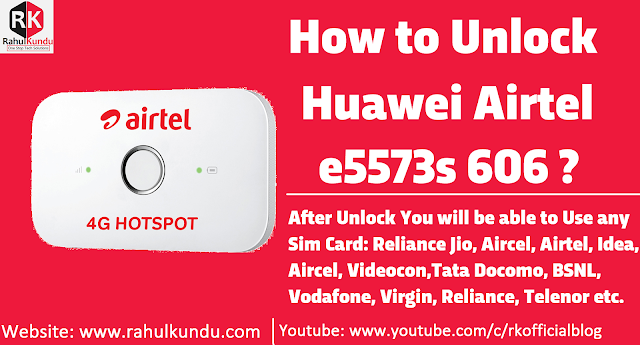
How to Solve Error 19 in Airtel's Huawei E5573s-606 Mobile Hotspot WiFi Router?

Posted by Unknown
Many users facing an error 19 to unlock Airtel e5573s-606 Mobile Hotspot Wifi Router that i read in the comments of my previous Airtel's Huawei e5573s-606 Mobile Hotspot Wifi Router Post. So, here is the solution for error 19.
How to Solve Error 19 in Airtel's Huawei E5573s-606 Mobile Hotspot WiFi Router?

How to Solve Error 19 in Airtel's Huawei E5573s-606 Mobile Hotspot WiFi Router?

NOTE: 1). The Tutorial will be Send Via Email Address

Steps to Get Premium Unlock Tutorial:

  • Find Your Firmware Version, Go to Your Airtel 4G Hotspot settings page (eg. 192.168.8.1) Settings >> System (From Side Tabs) >> Device Information & See the Software Version is like: v21.180.**.**.** then buy v21.180.**.**.**  OR if Software Version is v21.315.**.**.** then buy v21.315.**.**.** 
  • Buy Airtel Premium Unlock Tutorial From Below Shopping Portals.
For Old Firmware (v21.180.**.**) - Rs 399

For Old Firmware (v21.315.**.**) - Rs 499


OR

Reason For Error: Error 19 may caused if the other application or service is using your modem.


Solution For Error 19:

  • Error Code 19, means your modem ports is using by any application or services.
  • First of all close dashboard and disconnect the internet if using same modem.
  • Open Task manager.
  • Click Processes
  • Now Find This Three Processes
  • HWDeviceService.exe
  • DCService.exe
  • MobileBroadband.exe ( Vodafone Mobile Broadband Service )
  • UIExec.exe ( UI Assistant Service )

Right click and click Kill Process Tree for this processes Then Try Firmware Update.
Read More